Automating Hardware Warranty Tracking & Factory Specs in Snipe-IT ITAM: The Complete Open-Source Guide
Learn how to eliminate spreadsheet lookups and auto-synchronize Dell, Lenovo, HP, and Apple warranty expiration dates and factory BOM specs (CPU, RAM, Storage) directly into Snipe-IT using an open-source, zero-dependency Python connector and CheckWarranty API.
Live CheckWarranty API Screenshots
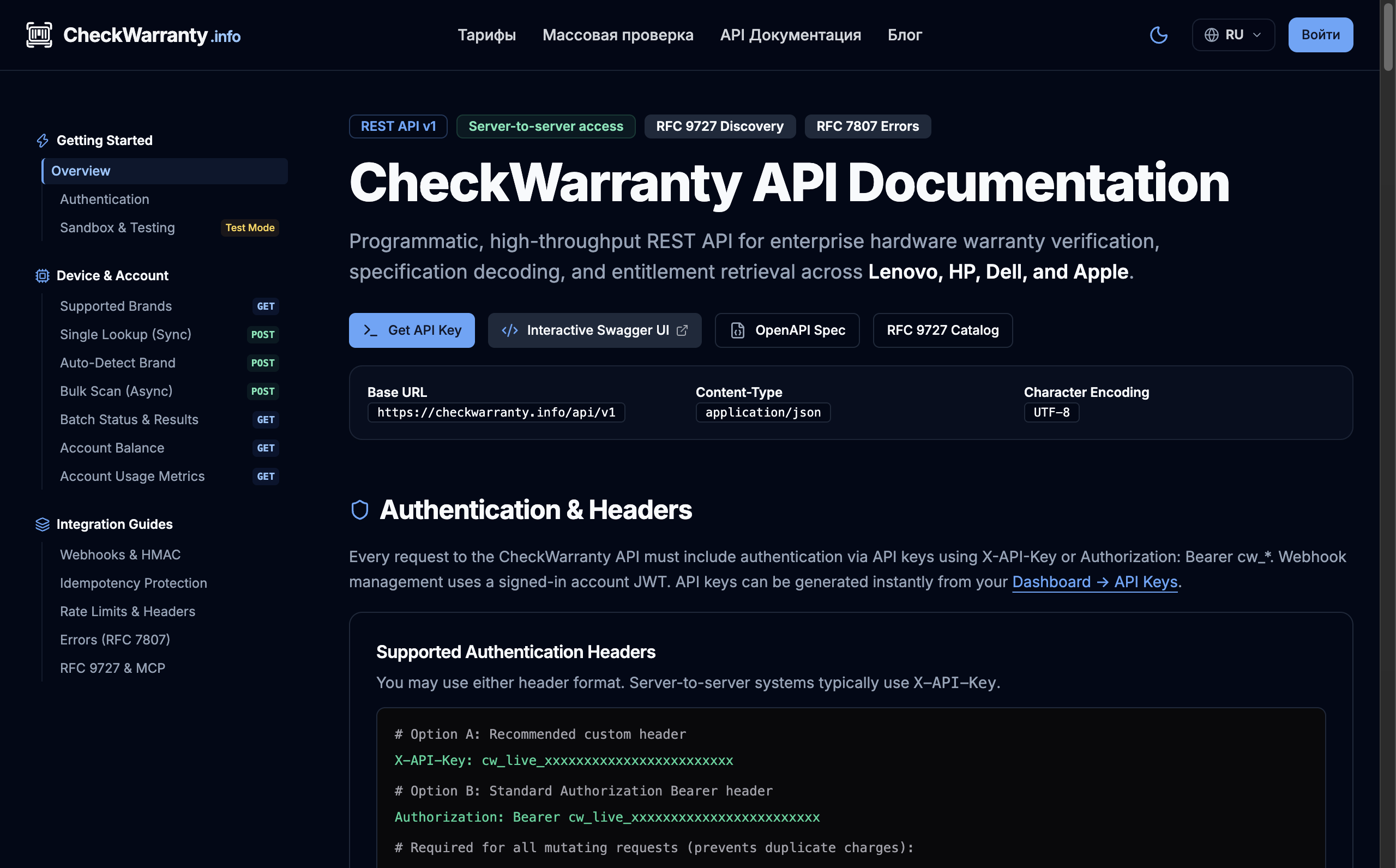
Unified interface for batch and single device checks across Dell, Lenovo, HP, and Apple with interactive cURL/SDK snippets.
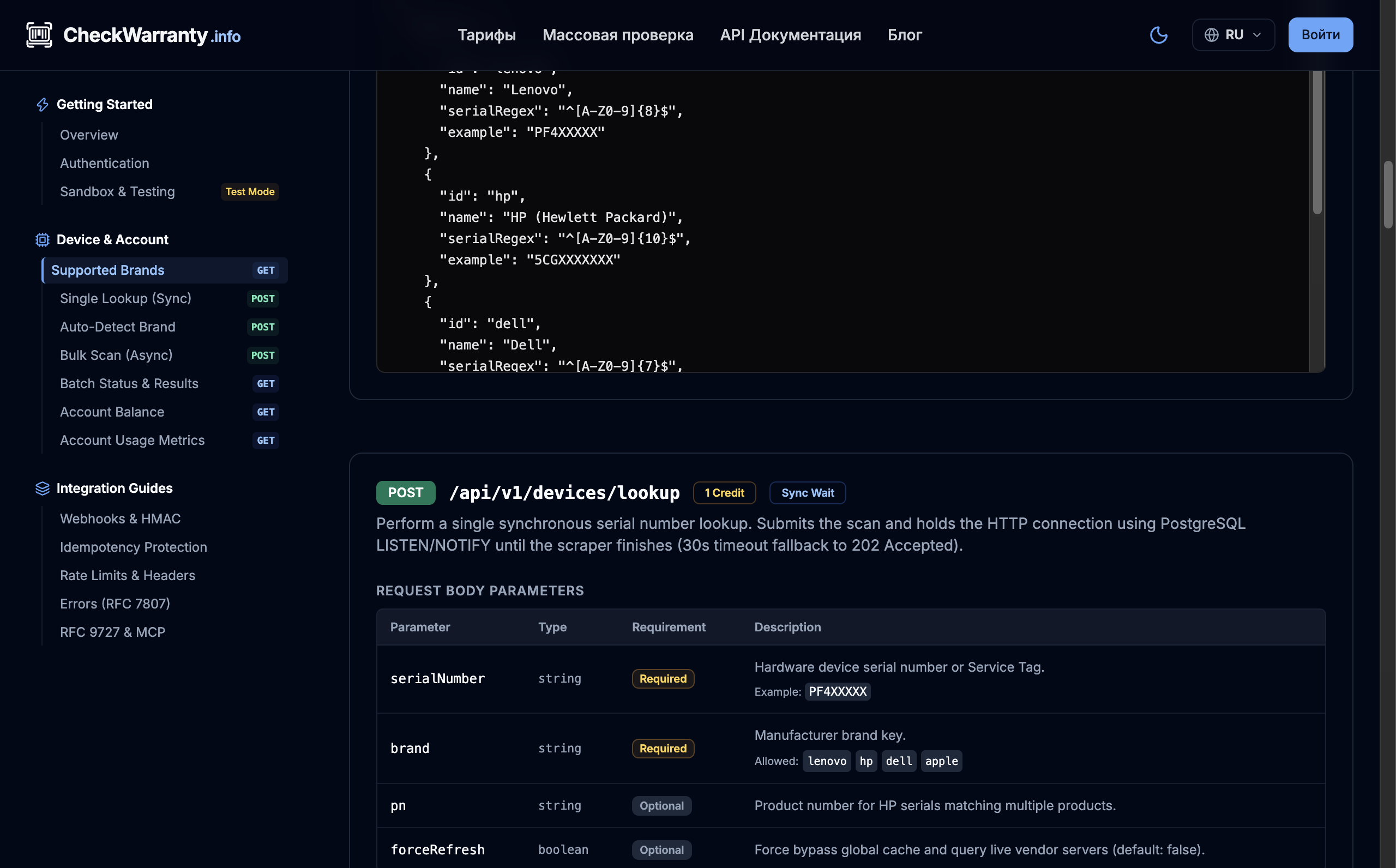
Real-time extraction of warranty status, exact expiration dates, and factory As-Built specs (CPU, RAM, SSD) as structured JSON.
How CheckWarranty Attributes Map into Snipe-IT
| Snipe-IT Field | CheckWarranty Source | Connector Processing Logic |
|---|---|---|
| warranty_months | data.endDate, data.startDate | Calculated as: round((endDate - purchaseDate) / 30.4375) |
| purchase_date | data.startDate / shipDate | Preserves existing invoice date; backfills from manufacturer ship date if empty |
| _snipeit_cpu_* | data.specs.cpu | Factory processor tier (Intel Core i7-1185G7, Apple M2 Pro) |
| _snipeit_ram_* | data.specs.ram | Factory RAM capacity & speed (16GB DDR4 3200MHz, 32GB Unified Memory) |
| _snipeit_storage_* | data.specs.storage | Factory storage tier (512GB PCIe NVMe M.2 SSD) |
docker run --rm \
  -e SNIPEIT_URL=https://snipeit.yourcompany.com \
  -e SNIPEIT_API_KEY=your_snipeit_api_token \
  -e CHECKWARRANTY_API_KEY=cw_live_your_checkwarranty_key \
  -e AUTO_BRAND_DETECT=true \
  -e SYNC_SPECS=true \
  -e DRY_RUN=false \
  checkwarranty/snipeit-warranty-sync:latest
Check your device
Enter your serial or click an example to view a saved result from our database immediately. Checking your own device starts only when you submit. Sign in for bulk checks and exports.
The Silent Failure in Enterprise ITAM: Why Warranty Dates Are Always Outdated
Asset management is only as reliable as its freshness. In most IT departments and MSP teams managing fleets in Snipe-IT, hardware warranty dates are manually typed in once during device intake—and never touched again. Over 2 to 4 years, laptops get upgraded, extended support contracts are purchased, parts are repaired under vendor care, and off-lease machines enter the fleet with unknown coverage.
When an executive’s laptop battery expands or a workstation motherboard dies, the IT team scrambles through vendor support portals only to discover that the device fell out of warranty two weeks ago, resulting in expensive rush out-of-warranty repairs.
Why do sysadmins put up with this manual burden? Because automated scraping of vendor portals is virtually impossible to maintain in-house:
- Aggressive WAFs & Bot Defense: Vendor portals (Dell Support, Lenovo eSupport, HP Customer Support) are shielded behind Akamai Bot Manager, Cloudflare Turnstile, and PerimeterX captchas that block standard headless browsers and curl scripts.
- Brand Inconsistencies: HP requires both a Serial Number and a Product Number (#ABA); Dell requires a 7-character Service Tag; Lenovo requires MTM machine types; and Apple requires alphanumeric validation.
- Constant Portal Redesigns: Internal GraphQL endpoints and DOM structures shift without notice, breaking scraper scripts every few weeks.
To solve this once and for all, CheckWarranty released an official open-source synchronization connector: checkwarranty/snipeit-warranty-sync. It requires zero pip dependencies, runs natively via Docker or cron, and reconciles Dell, Lenovo, HP, and Apple hardware coverage directly against the CheckWarranty Unified REST API.
Snipe-IT Database Architecture: Understanding the warranty_months Trap
When developers attempt to build a Snipe-IT sync script, they almost immediately run into a perplexing issue: Snipe-IT does not allow directly setting the warranty expiration date via API.
If you inspect the Snipe-IT database schema and REST API documentation, you will find that warranty_expires is a dynamically computed virtual field calculated on-the-fly:
warranty_expires = purchase_date + warranty_monthsIf your sync script sends a PATCH request attempting to set {"warranty_expires": "2027-04-15"}, Snipe-IT will simply ignore the parameter or return a 422 Unprocessable Entity error. To properly set the expiration date, a connector must calculate the exact delta in months:
# Precise calculation used by checkwarranty/snipeit-warranty-sync
days_delta = (warranty_end_date - purchase_date).days
warranty_months = max(0, round(days_delta / 30.4375))
Our open-source connector handles three critical edge cases automatically:
- Preserves Existing Purchase Dates: If an asset already has an invoice purchase date, that date remains untouched and only
warranty_monthsis recalculated. - Backfills from Manufacturer Ship Dates: If
purchase_dateis empty, the connector backfills it from the official vendor ship date returned by the API. - Optional Custom Date Field: If your organization maintains a dedicated custom field like
FIELD_WARRANTY_EXPIRATION, the exact ISO string (YYYY-MM-DD) is written simultaneously for direct table filtering.
Beyond Expiration: Enriching Assets with Original Factory Specs (BOM)
Knowing warranty expiration is critical for lifecycle management, but asset management also requires accurate hardware grading. When receiving refurbished or redeployed hardware, technicians often have to boot each machine into BIOS to verify CPU, RAM, and SSD capacities.
CheckWarranty returns the complete factory As-Built Bill-of-Materials. Our connector automatically maps these specifications directly into Snipe-IT Custom Fields:
- Processor Model: e.g. "Intel Core i7-1185G7 @ 3.00GHz" or "Apple M2 Pro (12-core)"
- Factory RAM: e.g. "16 GB DDR4 3200MHz" or "32 GB Unified Memory"
- Factory Storage / SSD: e.g. "512 GB PCIe NVMe M.2 SSD"
- Factory Battery Health & Graphics: Original design capacity, discrete GPU presence, and display panel resolution.
Live CheckWarranty API Overview & Lookup Endpoints
The synchronization script connects to the CheckWarranty Unified REST API. You can review the full interactive documentation and test requests in your live account at checkwarranty.info/docs/api.
Every lookup returns a normalized JSON response regardless of whether the queried device is a Dell Latitude, Lenovo ThinkPad, HP EliteBook, or MacBook Pro:
{
  "status": "success",
  "data": {
    "serial": "PF2B9XYZ",
    "brand": "lenovo",
    "model": "ThinkPad T14 Gen 2 (Type 20W0)",
    "warrantyStatus": "ACTIVE",
    "startDate": "2023-04-12",
    "endDate": "2026-04-11",
    "daysRemaining": 359,
    "entitlement": "Premier Support Onsite NBD",
    "specs": {
      "cpu": "Intel Core i7-1185G7",
      "ram": "16GB DDR4",
      "storage": "512GB NVMe SSD"
    }
  }
}
Step-by-Step Deployment: Docker, Python CLI, and Cron
The connector is designed for zero operational friction. You can run it on your laptop, in a CI/CD pipeline, or as a sidecar container in your Docker Compose environment.
Step 1: Run with Dry-Run Mode (Safe Preview)
Before writing any changes to Snipe-IT, execute the script with --dry-run. It will inspect your hardware catalog, detect eligible serial numbers, fetch warranty data, and output an audit table without mutating any records:
# Clone the repository
git clone https://github.com/checkwarranty/snipeit-warranty-sync.git
cd snipeit-warranty-sync

# Copy and configure environment variables
cp .env.example .env

# Run safe audit
python3 sync.py --dry-run
Step 2: Deploying via Docker Alongside Snipe-IT
If you run Snipe-IT using Docker Compose, add the sync service directly to your docker-compose.yml:
services:
  snipeit-sync:
    image: checkwarranty/snipeit-warranty-sync:latest
    restart: "no"
    environment:
      - SNIPEIT_URL=http://snipeit:80
      - SNIPEIT_API_KEY=your_snipeit_token_here
      - CHECKWARRANTY_API_KEY=cw_live_your_key_here
      - AUTO_BRAND_DETECT=true
      - SYNC_SPECS=true
      - DRY_RUN=false
Step 3: Scheduling Daily Synchronization via Cron
To keep warranty expirations constantly up-to-date, schedule a nightly cron job on your server:
0 2 * * * docker run --rm --env-file /opt/snipeit/.env checkwarranty/snipeit-warranty-sync:latest >> /var/log/snipeit-sync.log 2>&1Zero-Risk Billing Guarantee & Community Support
CheckWarranty enforces a strict billing policy: credits are only deducted when actionable, verified device data is returned. Invalid serial numbers, unrecognized formats, or unresolved queries incur exactly 0 credits.
Every new account receives 10 complimentary scans upon registration to test and verify the Snipe-IT integration in your staging environment.
- GitHub Repository: github.com/checkwarranty/snipeit-warranty-sync
- Official Snipe-IT PR: grokability/snipe-it #19967
- REST API Documentation: checkwarranty.info/docs/api
Tags
Ready for Bulk Warranty Audits?
Check warranty coverage, entitlement dates, and hardware specifications across Lenovo, Dell, HP, and Apple in seconds. Zero-Risk Guarantee: 0 credits deducted for missing serials.